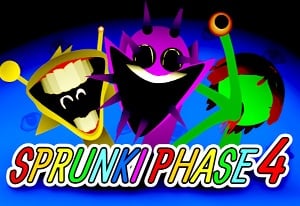
What Is Sprunki Phase 4?
Sprunki Phase 4 is a browser music mixer with a Halloween-inspired horror presentation. Its listing describes an experiment built from combinations of beats, melodies, and effects, performed through spooky characters. You shape the mix by choosing those sound layers, so the result depends on which parts you assign and how far you take the combination.
The build on this page is the unsuffixed Sprunki Phase 4 upload distributed by Miniplay, and its embed opened to a real warning screen in our check, so the startup sequence below describes what this exact player shows. Numbered fan projects can have several uploads and revisions, and a guide written for a different Phase 4 build may describe another interface entirely. Compare what you see inside this player before following outside instructions.
Starting Sprunki Phase 4
Select Play Sprunki Phase 4 above to load the game in the same space as its cover. The website waits for your click before it requests the external player, so nothing loads in the background while you read. Give the wrapper time to fetch the game assets; a progress bar appears while they arrive.
The observed startup screen is a dark content warning. It prints a red WARNING heading with an English and Korean notice about gore and cruel elements, recommends dark mode, and shows a sad cartoon figure beside a green flag with a click-to-move hint. These are the game's own opening prompts, not a payment wall or an account request. Read the notice, and use the green flag control when you decide to continue. If you prefer lighter artwork, the catalog lists other stages without this kind of warning.
Creating a Sprunki Phase 4 Mix
The published description centers on combining beats, melodies, and effects, so a good first session is deliberately small: assign one part, listen to what it changes, then add a second. Working in that order keeps the connection between each icon and its sound recognizable, and it makes a choice you dislike easy to undo.
This page does not promise a numbered level path, a score target, or a hidden unlock sequence, because none of those are established for this build. The mixing screen itself is the activity: you decide which layers to try and when to replace them. Instructions for assigning or replacing a part come from the game's own displayed prompts, which may differ from other Sprunki uploads you have seen.
What Stands Out in Sprunki Phase 4?
The Halloween direction ties the presentation together: eerie character artwork, a dark palette, and an opening warning that treats disturbing content as part of the design. Treat this version as a horror mixer rather than assuming a neon or futuristic edition described on another fan page carries over here. A matching phase number alone does not establish matching artwork, menus, or sound assets.
The warning screen also works as a practical filter. It tells you, before any mixing starts, that gore and cruel imagery are intentional in this build. Players who want a calmer stage can pick another phase from All Games instead of clicking through content they would rather avoid.
Sprunki Phase 4 and Other Stages
Phase 4 sits in this site's catalog beside the stages that are actually available here. The homepage keeps Sprunki Phase 7 as its playable feature, All Games lists the rest, and the Blog explains what to notice in a game before you start mixing. You do not need an external download site to move between them.