
What Is Sprunki Phase 10?
Sprunki Phase 10 is presented by its listing as the closing chapter of the Sprunki series: a horror-themed music mixing stage where suspense, spooky characters, and plot twists replace the lighter look of earlier phases. The listing describes choosing figures that each carry a musical element — beats, vocals, melodies — and layering them into tracks, with hidden combinations that trigger their own animations.
The build on this page is hosted on the same Sprunkin-series player used by this catalog's other recent stages, and the page listing it is Sprunki Mods, where the identical player sits behind its own Play button. As with every numbered Sprunki upload, the phase number alone does not tell you what a build contains; the packaged page's internal title even still references an earlier remix. Compare what this player actually shows before following instructions written for a different upload.
Starting Sprunki Phase 10
Select Play Sprunki Phase 10 to load the game in place of its cover. The website requests the external player only after that click, so nothing loads while you read. The build first shows its own Sprunkin.com loading screen, then a WARNING screen before any gameplay: a black panel stating, in English and Korean, that players sensitive to gore or other cruel elements should leave immediately, plus a note asking for dark mode.
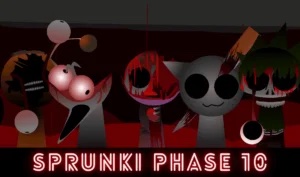
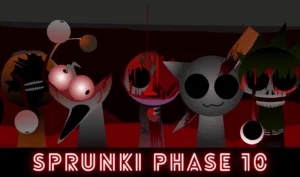
That warning matches the cover art's direction — blood-covered characters, skull faces, and a dark red backdrop — and it is the build's own opening, not a payment wall or an account request. After the warning, the game's first visible prompt is "click to move", which is the most direct evidence this page can offer about how the build expects to be driven.
Sprunki Phase 10 Controls
The one input this page can confirm from the build itself is pointer-driven movement: the opening screen says "click to move". The hosting page also prints a keyboard bar for this series — an action key set, Enter for start, minus and plus for volume, an attack key, Space for dodging, and a left-or-right attack combination. That bar is shared across the series' pages rather than written for this build alone, so treat it as the host's description, not a per-key verification; no in-game probing was done to confirm individual bindings.
Work in small steps when you begin: move once, watch what the scene returns, and only then try the next input. If a key seems to do nothing, the pointer route remains available. Detailed written steps here would outrun what has been checked, so none are invented; the listing page linked as the backup stays the place to compare the game as its publisher presents it.
Playing the Phase 10 Mix
The listing's own how-to centers on the mixing loop rather than movement: begin, choose characters, attribute sounds to them, and experiment with layers until the composition holds together. It also promises hidden sound combinations that reveal special animations, and a save-and-share step for passing finished tracks to the Sprunki community. Those are the publisher's promises for this phase; how much of that loop this exact build exposes is something to check inside the player rather than assume from the number ten.
Because this phase is presented as the series' finale, the listing leans on closure — dark themes, haunting soundscapes, and a storyline that ties earlier chapters together. Treat that framing as the upload's pitch. The practical value of this page is narrower: a verified player, an honest description of its warning screen and first prompt, and a fallback link if the embed cannot load on your network.
Sprunki Phase 10 and Other Stages
Phase 10 sits at the end of this site's catalog order. The homepage keeps Sprunki Phase 7 as its playable feature, and All Games lists the stages that are actually available here, each with its own player and notes. If this build's player fails to load, the listing page at Sprunki Mods is the fallback place to run the identical player, and its page can also be compared against this one to confirm the build has not been swapped.